 Moknah
User Guide
Voice Cloning
Create your own voice from a few recordings.
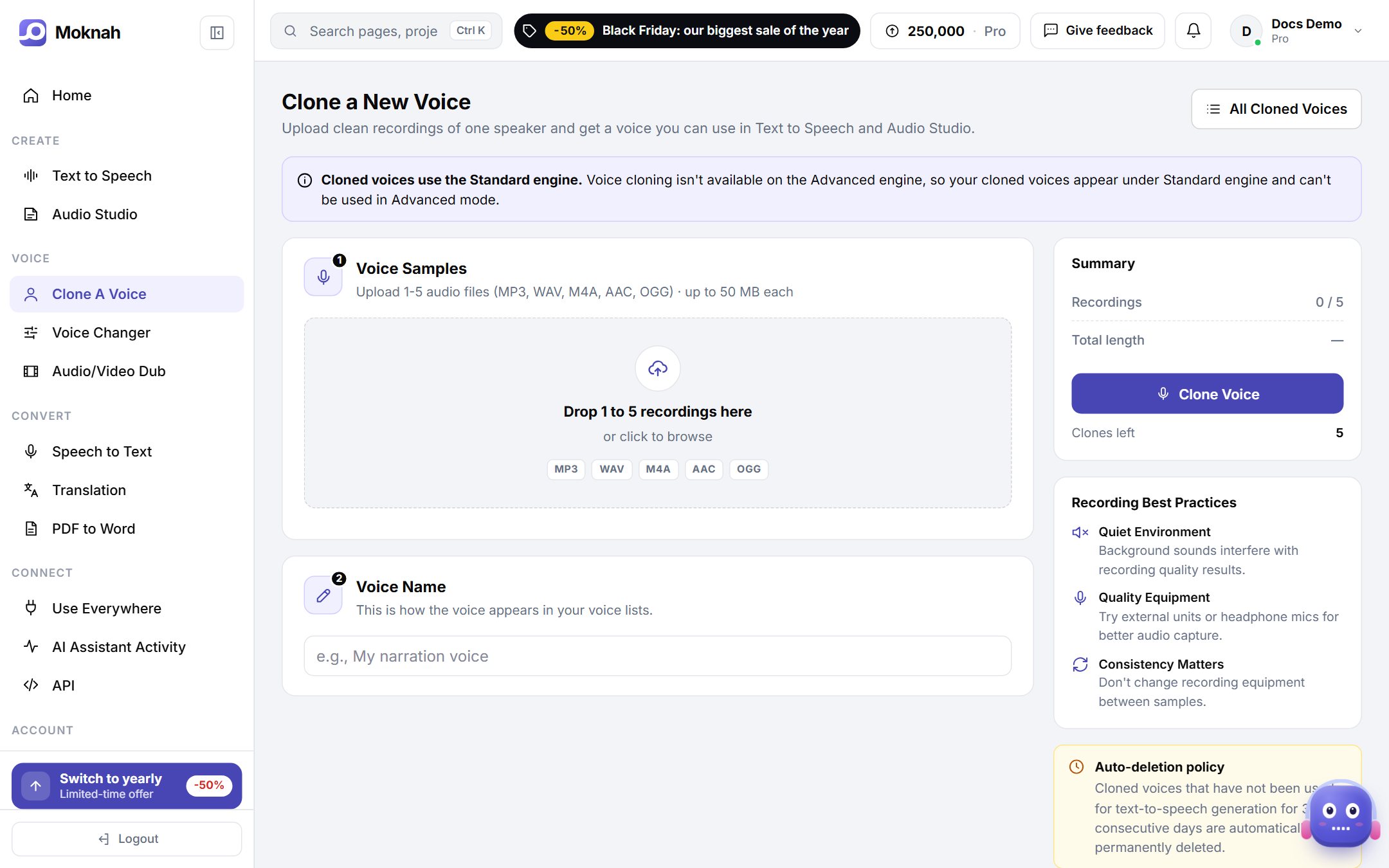
Clone a voice
- Open Clone A Voice and click New Clone.
- Upload 1 to 5 recordings: MP3, WAV, M4A, AAC or OGG, up to 50 MB each.
- Give the voice a name. This is how it appears in your voice list.
- Click Clone Voice. The new voice is ready to use in Text to Speech and in the Audio Studio.
Get the best recordings
- Quiet room. Background noise ends up in the cloned voice.
- Good microphone. An external or headset microphone works better than a laptop microphone.
- Same setup every time. Do not change your microphone or room between samples.
- One speaker. Use clear speech from one person, with no music.
Please note
Only clone voices you have the right to use. A cloned voice that is not used for 7 days in a row is deleted automatically.
How many clones?
The number of voices you can clone depends on your plan. The clone page shows how many you have left.