 Moknah
User Guide
Dubbing
Dub a video or audio file into another language.
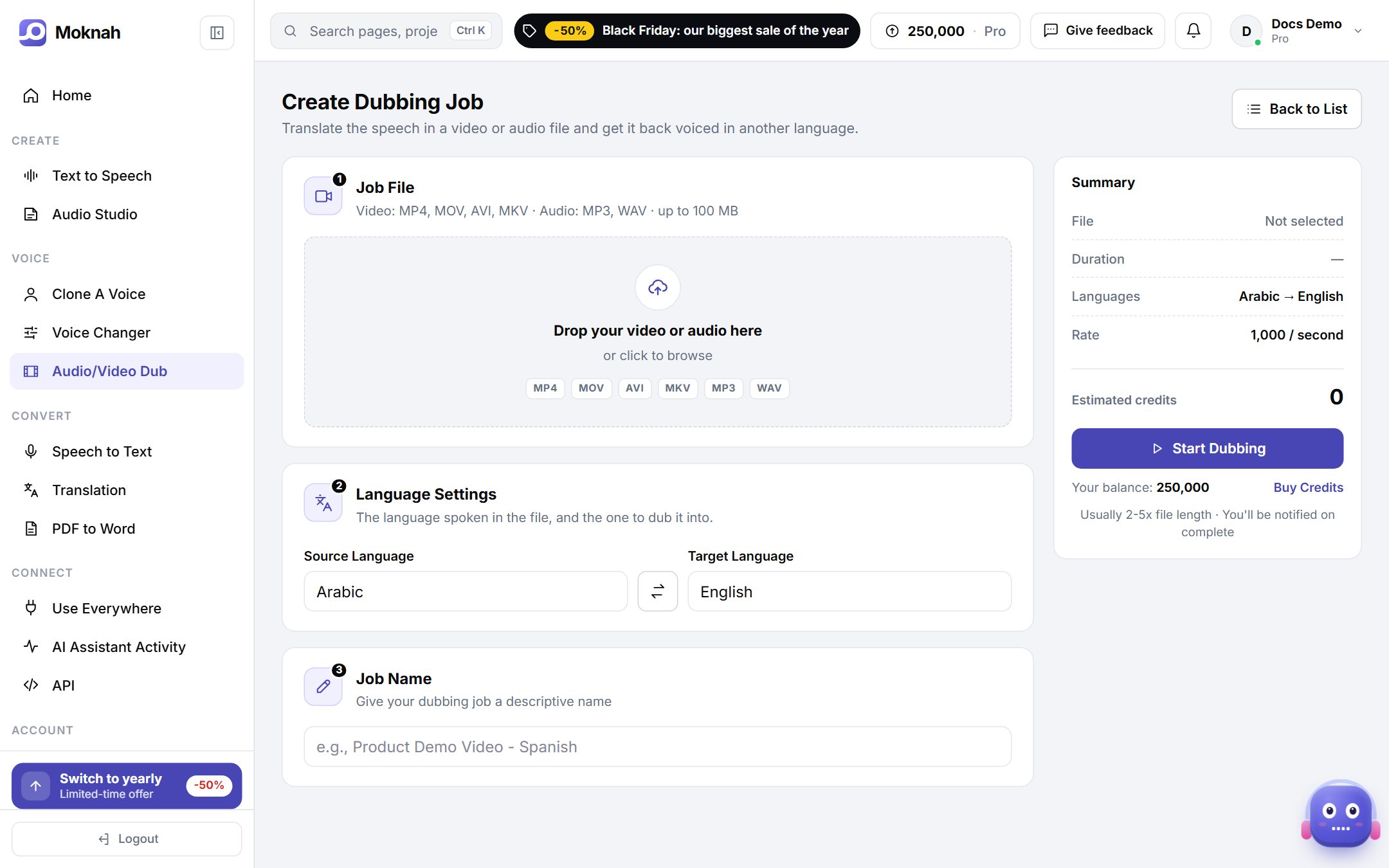
Dub a file
- Open Audio/Video Dub and click New Dubbing Job.
- Upload your file. Video: MP4, MOV, AVI or MKV. Audio: MP3 or WAV. Up to 100 MB.
- Choose the language spoken in the file and the language to dub it into.
- Name the job, check the cost in the summary and click Start Dubbing.
- Download the dubbed file from the list when it is ready.
Tip
Clear speech with little background music gives the best dub.