 Moknah
Introduction
Everything you need to get started with Moknah.
What is Moknah?
Moknah turns text into natural speech in more than 130 languages. Make a short clip in seconds, produce a full audiobook in the Audio Studio, or build Moknah into your own product with the API.
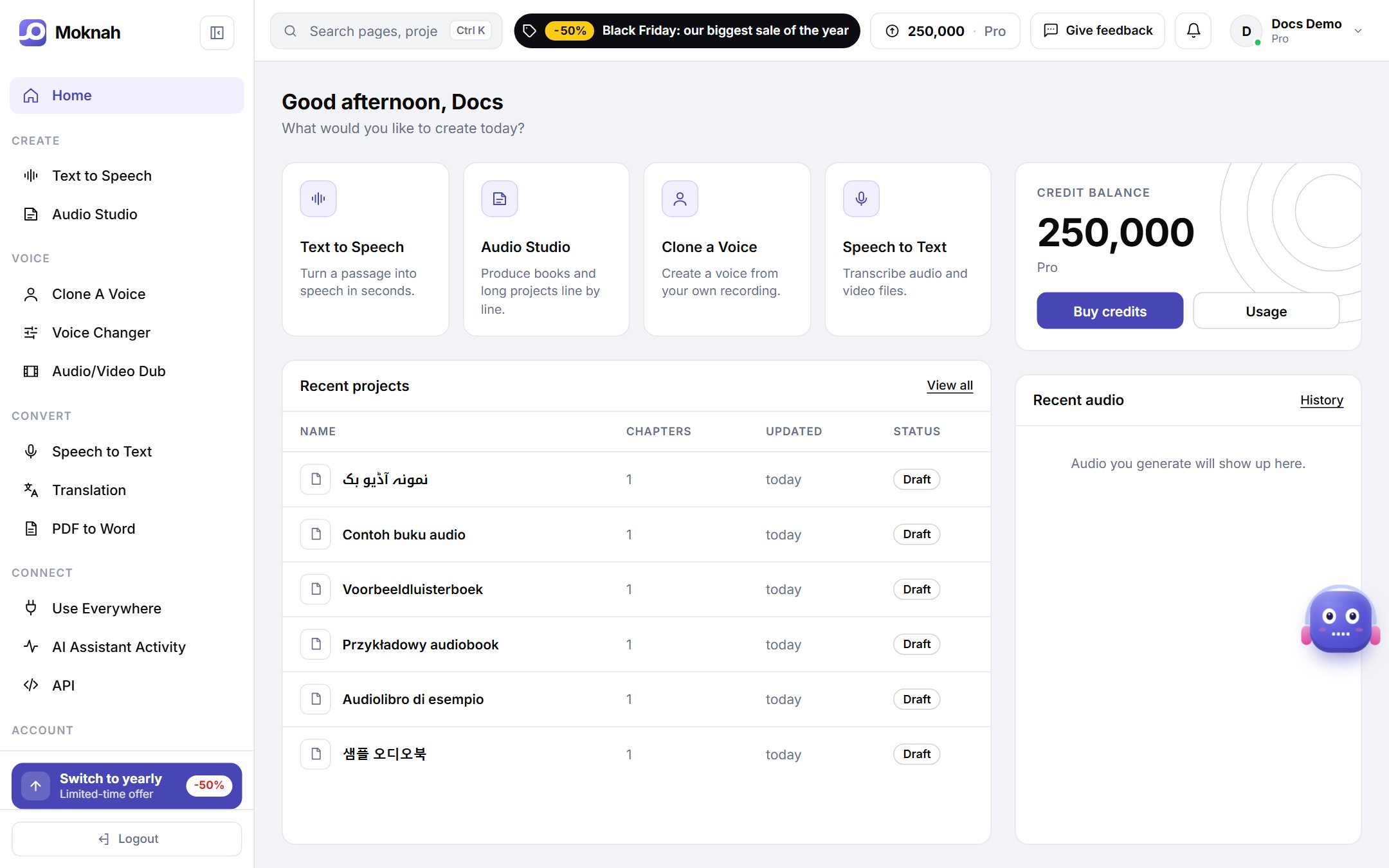
What you can do
| Tool | What it is for |
|---|---|
| Text to Speech | Turn a paragraph into audio in seconds. |
| Audio Studio | Turn books and long documents into audiobooks, chapter by chapter. |
| Voice Cloning | Create a voice from your own recordings. |
| Voice Changer | Make a recording sound like a different voice. |
| Dubbing | Dub a video or audio file into another language. |
| Speech to Text | Subtitles from speech or your own text, translated and burned onto your video. |
| Translation | Translate text between languages. |
| PDF to Word | Turn PDFs, even scanned ones, into editable Word files. |
Credits
Every tool uses credits from your balance. You see the cost before anything is generated, and you can follow your usage at any time under Credits & usage.
The free plan gives you credits every month. The Audio Studio and the API come with the Pro plan.
Your language
Moknah is available in 17 languages: Arabic, English, French, Turkish, Simplified Chinese, Hindi, Japanese, Russian, Spanish, German, Portuguese, Korean, Italian, Polish, Dutch, Indonesian and Urdu.
- To change it, open Settings, then Appearance & language, and pick a language. You can also type the name of a language in the search box at the top.
- The emails we send you follow the same language.
- The language of the interface does not limit your text: voices speak more than 130 languages, whatever language you use Moknah in.
Downloads
- Audio: MP3 or WAV.
- Subtitles: SRT or VTT.
- PDF conversions: Word (.docx).
Use Moknah from your AI assistant
You can also use Moknah from ChatGPT, Claude and other AI apps, and just ask for what you need. Learn how to connect
Go to Text to Speech to make your first clip.