
Voice Cloning (Recording Guide)
Create high-quality custom voices with pristine training data
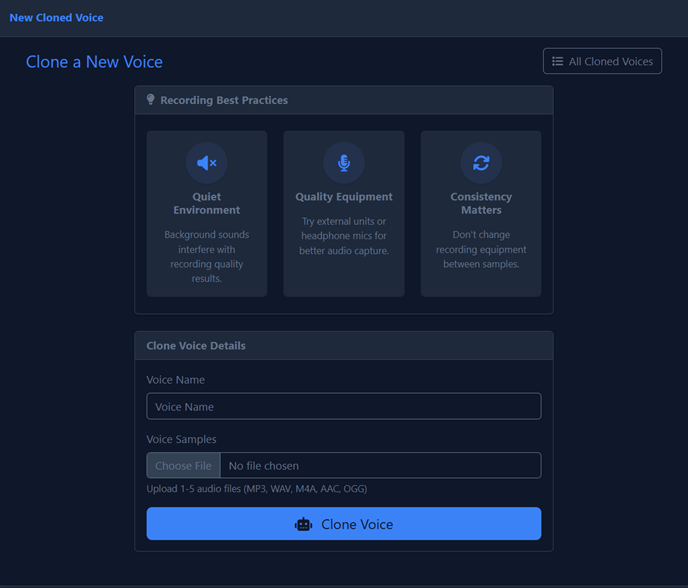
To create a high-quality custom voice, the input audio (training data) must be pristine. The AI replicates everything it hears—including imperfections.
1. Recording Location
Minimize room echo and reverb. "Deaden" the room using one of these options:
- Vocal booth: Professional isolation booth (best option)
- Closet: A closet full of clothes naturally absorbs sound
- Blanket fort: Surround yourself with heavy blankets to dampen reflections
Clap your hands in the room. If you hear a noticeable echo or ring, the room needs more acoustic treatment.
2. Equipment
| Equipment | Recommendation | Notes |
|---|---|---|
| Microphone | Professional XLR mic ($150-$300) | Audio-Technica AT2020 or Rode NT1 recommended |
| Interface | USB Audio Interface | Focusrite Scarlett series recommended |
| Pop Filter | Essential | Prevents plosives (air hitting the mic on P, B, T sounds) |
3. Software (DAW)
Use professional recording software like REAPER or Audacity.
Recommended Settings
| Setting | Value |
|---|---|
| File Format | WAV (uncompressed) |
| Sample Rate | 44.1 kHz or 48 kHz |
| Bit Depth | 24-bit |
| Peak Levels | -6 dB to -3 dB |
| Average Loudness | -18 dB |
Never let your levels hit 0 dB. Clipped audio cannot be fixed and will ruin your voice clone.
4. Positioning
- Distance: Maintain approximately 20cm (about two fists) from the microphone
- Angle: Speak slightly off-axis (at an angle) to avoid direct breathing into the mic
- Consistency: Keep the same position throughout the entire recording session
5. Performance
Consistency is Key
Keep the same energy and tone throughout your recording. Do not mix different styles in the training file:
| ✅ Do | ❌ Don't |
|---|---|
| Maintain consistent volume | Mix whispering and shouting |
| Keep the same energy level | Vary between excited and tired delivery |
| Use natural pacing | Rush through some parts |
| Speak clearly and cleanly | Include "uhms", stutters, or mistakes |
The AI replicates everything, including breaths, stutters, lip smacks, and "uhms". Ensure the performance is exactly what you want cloned. Any imperfections in your training data will appear in the generated voice.
Summary Checklist
- The Room is acoustically treated (no echo)
- Using a quality XLR microphone with pop filter
- Recording in WAV format at 44.1/48 kHz, 24-bit
- Levels peaking at -6 to -3 dB
- Positioned 20cm from mic at a slight angle
- Consistent tone and energy throughout
- No stutters, "uhms", or unwanted sounds