
AI Translation Service
Powerful, optimized text translation for seamless platform integration
Overview
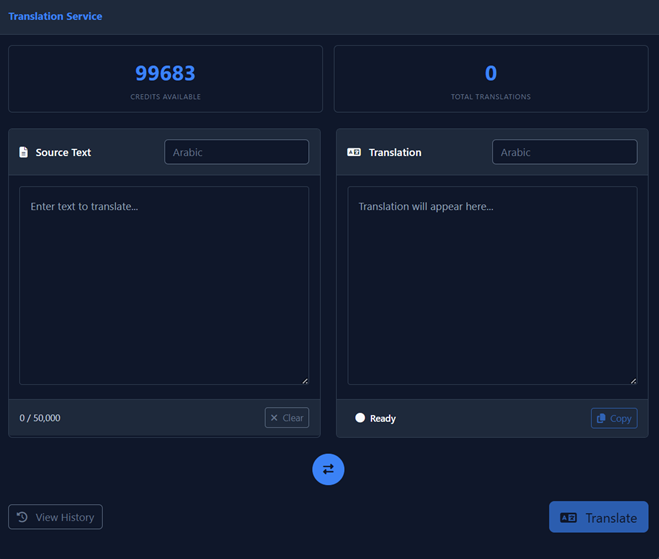
A powerful, optimized text translation tool designed for seamless use across the platform. Whether you are preparing scripts for TTS or translating documents, this tool offers high-capacity processing with a clean interface.
Key Features
| Feature | Description |
|---|---|
| High Capacity | Translate up to 50,000 characters in a single request |
| Optimized AI | Uses advanced models to ensure contextually accurate translations between languages |
| Seamless Integration | Designed to work smoothly in various workflows within the platform |
| History | Easily access and review your previous translations via the "View History" button |
How to Use
-
Select Languages:
Choose your Source Language (left dropdown) and Target Language (right dropdown).
-
Enter Text:
Type or paste your text into the source box on the left side.
-
Translate:
Click the Translate button to process your text.
-
Copy Result:
Use the Copy button to grab the translated result instantly.
Click "View History" to access all your previous translations. This makes it easy to reuse or reference past work without re-translating.
For best results with TTS, translate your text first, then review and adjust for natural speech patterns before generating audio.