
Text-Audio Synchronization (Subtitle Creation)
Create perfectly timed subtitles for your audio or video content
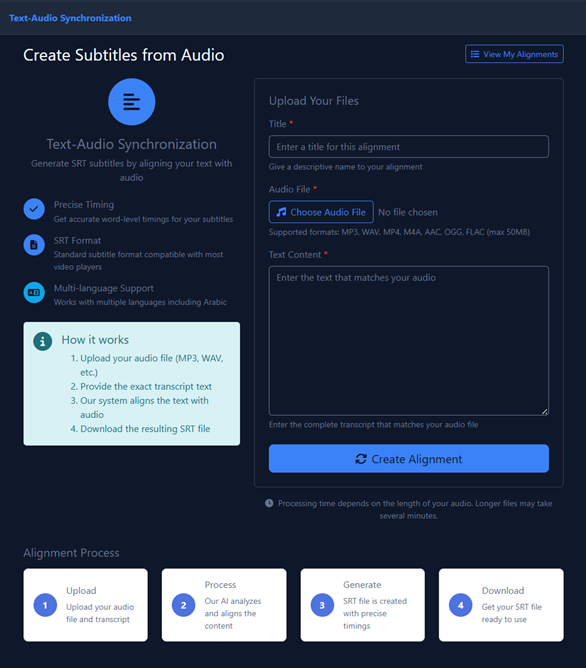
Overview
This tool aligns your existing transcript with an audio file to generate a standard subtitle file (.srt) automatically. Perfect for creating subtitles for videos, podcasts, or any audio content.
Key Features
| Feature | Description |
|---|---|
| Precise Timing | The AI analyzes the audio to provide accurate word-level timing for your subtitles |
| SRT Format | Generates standard .srt files compatible with most video players and platforms (YouTube, VLC, etc.) |
| Multi-language Support | Works with multiple languages, including full support for Arabic |
How to Create Subtitles
-
Title:
Give your alignment project a name.
-
Upload Audio:
Upload your audio or video file.
Supported Formats MP3, WAV, MP4, M4A, AAC, OGG, FLAC Max Size 50 MB -
Input Text:
Paste the exact transcript of the audio into the text box.
ImportantThe text must match the spoken audio exactly for accurate alignment. Any differences between the transcript and audio will cause timing issues.
-
Generate:
Click Create Alignment to start the synchronization process.
-
Download:
Once processed, download your ready-to-use
.srtfile.
If you don't have a transcript, use the Speech to Text feature first to generate one, then use this tool to create timed subtitles.